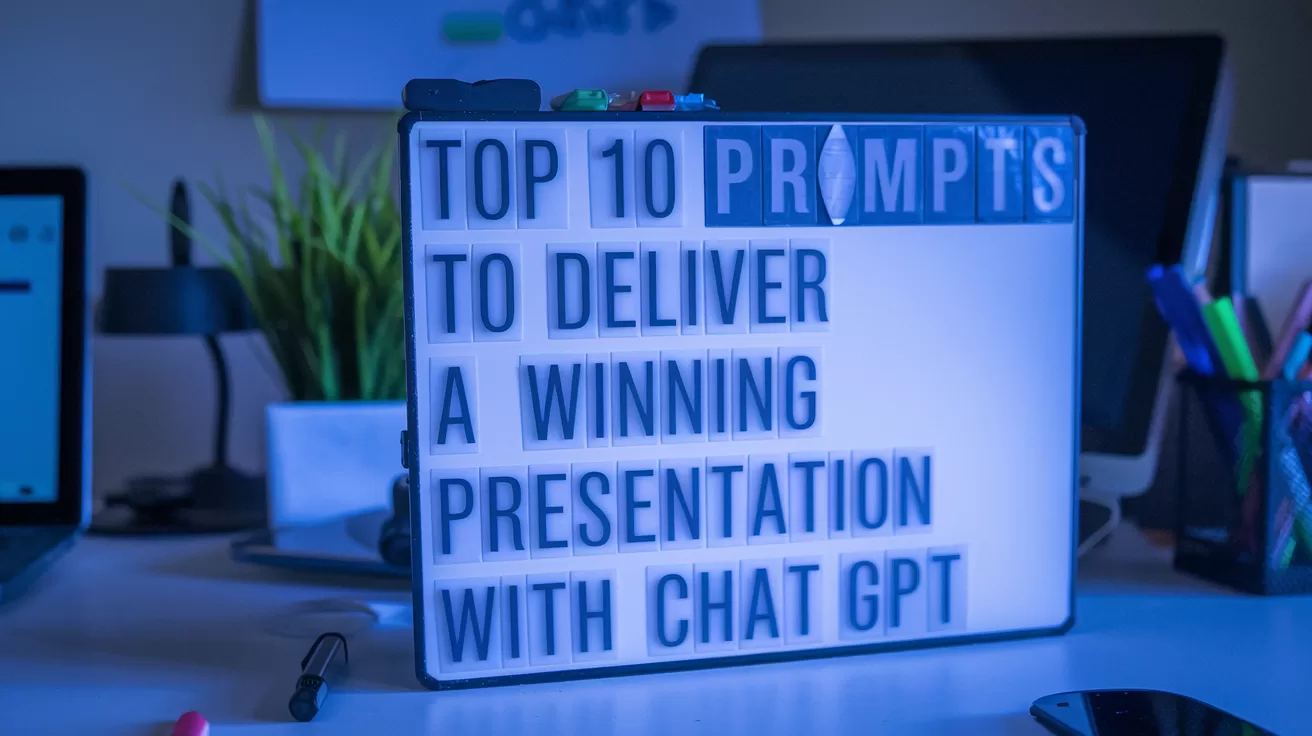
AIAcademy.Asia: This series helps you master work skills with ChatGPT. This article focuses on creating impactful presentations.,ChatGPT can help you structure, refine, and rehearse your presentations for maximum impact.,Includes 10 actionable prompts like “Outline the presentation structure,” “Add data and visual ideas,” and “Practise with feedback.”,Use these prompts to craft presentations that captivate and persuade your audience.
Nail Your Next Presentation with ChatGPT
Presentations are a powerful way to share ideas, persuade stakeholders, and drive decisions. But crafting a compelling, clear, and engaging presentation can be a challenge, especially when you’re short on time or inspiration.
ChatGPT can help you elevate your presentations by acting as a brainstorming partner, content creator, and even a rehearsal coach. Whether you’re pitching a new idea, reporting to leadership, or teaching a concept, these prompts will guide you in building a presentation that captivates your audience.
Quick Tips for Presentation Prompts
To make your presentations shine, keep these tips in mind:
Clarify Your Objective: Be clear about the purpose of your presentation—informing, persuading, or educating.,Know Your Audience: Provide details about the audience so ChatGPT can adjust tone and complexity accordingly.,Iterate for Perfection: Refine ChatGPT’s suggestions by asking for tweaks like “Make it more engaging” or “Simplify this explanation.”
Top 10 Prompts to Deliver a Winning Presentation with ChatGPT
- Outline the Presentation Structure
Prompt: “Create a presentation outline for [topic]. Include an introduction, main points, and a strong conclusion.”
Prompt: “Create a presentation outline for [topic]. Include an introduction, main points, and a strong conclusion.”
Why It Works: It gives you a clear framework to build upon, saving time in the planning stage.
- Craft a Strong Opening
Prompt: “Write an engaging opening for a presentation about [topic]. Hook the audience with a question or story.”
Prompt: “Write an engaging opening for a presentation about [topic]. Hook the audience with a question or story.”
Why It Works: A compelling start grabs attention and sets the tone for the rest of the presentation.
- Simplify Complex Topics
Prompt: “Explain [complex topic] in simple terms for an audience with no technical background.”
Prompt: “Explain [complex topic] in simple terms for an audience with no technical background.”
Why It Works: It makes your presentation accessible and relatable to a broader audience. For more on simplifying complex ideas with AI, see our article on ChatGPT's 'Buy It' Button Is Quietly Rewriting Online Shopping.
- Add Data and Visual Ideas
Prompt: “Suggest charts or visuals to support this data: [insert data].”
Prompt: “Suggest charts or visuals to support this data: [insert data].”
Why It Works: It ensures your presentation is visually engaging and backed by evidence. For more on using AI for creative visuals, check out Playbook: How to Use Ideogram.ai (no design skills required!).
- Create Speaker Notes
Prompt: “Draft speaker notes for a presentation about [topic]. Keep them concise and conversational.”
Prompt: “Draft speaker notes for a presentation about [topic]. Keep them concise and conversational.”
Why It Works: It helps you stay on track and speak confidently without reading directly from slides.
- Design Effective Call-to-Actions
Prompt: “Write a powerful call-to-action for a presentation on [topic]. Focus on encouraging the audience to [specific goal].”
Prompt: “Write a powerful call-to-action for a presentation on [topic]. Focus on encouraging the audience to [specific goal].”
Why It Works: It ensures your presentation ends with a clear, impactful takeaway. This aligns with strategies for Post-Click Is The New Battleground In E-Commerce which emphasizes clear actions.
- Anticipate Audience Questions
Prompt: “Generate a list of potential audience questions for a presentation about [topic]. Include suggestions for answering them.”
Prompt: “Generate a list of potential audience questions for a presentation about [topic]. Include suggestions for answering them.”
Why It Works: It prepares you for Q&A sessions, boosting your confidence.
- Enhance Storytelling
Prompt: “Add a storytelling element to this presentation on [topic]. Use examples or a relatable anecdote.”
Prompt: “Add a storytelling element to this presentation on [topic]. Use examples or a relatable anecdote.”
Why It Works: Stories make your presentation memorable and emotionally engaging. Research by Stanford University has shown the power of storytelling in communication and persuasion^[The Power of Storytelling in Communication].
- Polish the Language
Prompt: “Rewrite this section of my presentation to make it more professional and concise: [paste section].”
Prompt: “Rewrite this section of my presentation to make it more professional and concise: [paste section].”
Why It Works: It ensures your content is polished and impactful.
- Practice with Feedback
Prompt: “Act as an audience and provide feedback on this presentation draft: [paste text].”
Prompt: “Act as an audience and provide feedback on this presentation draft: [paste text].”
Why It Works: It helps you refine your content based on constructive feedback before delivering it.
Ace Your Presentations with ChatGPT
Delivering a winning presentation doesn’t have to be daunting. With these ChatGPT prompts, you can craft compelling content, simplify complex ideas, and prepare with confidence. Let ChatGPT help you turn your ideas into impactful presentations. Have a favourite prompt or a presentation success story? Share it in the comments below!
Useful Links:
We’ve already explored the “Top 10 Prompts to Write Better Emails with ChatGPT“—tap here to read that now.,Have a prompt of your own or a success story to share? Drop a comment below or connect with us on X/Twitter here. We’d love to hear how AIAcademy Asia is helping you level up. You can also sign up for our newsletter here.,Try these prompts on the free version of ChatGPT by tapping here.,Want to level up your AI skills in a more structured environment? Visit AIAcademey.asia to learn more.








Latest Comments (3)
oh ya i just started using ChatGPT for outlines this month, it's a huge timesaver. before i'd stare at a blank slide for ages. how do you guys use the "practise with feedback" prompt? i tried it once but didn't get much useful back.
While I appreciate the utility of these prompts for structuring a presentation, we constantly face the challenge of regulatory bodies and patient data privacy. ChatGPT can generate content, but ensuring that content aligns with HIPAA or other specific healthcare compliance guidelines requires a human in the loop, always. The output needs rigorous vetting before it touches anything external.
i dunno if "clarify your objective" and "know your audience" are chatgpt tips as much as just... presentation tips. those are literally the first two things i learned in comms class in polytechnic. i get that the tool helps but some of this advice seems a bit basic no?
Leave a Comment